

Wherever possible you want to position your projector directly perpendicular to the screen.
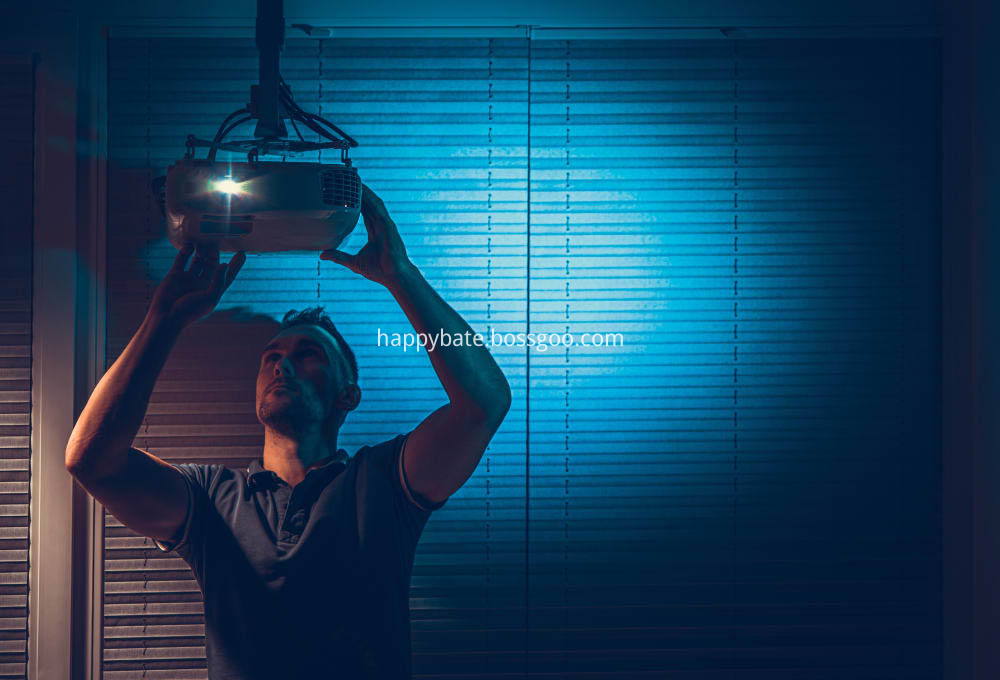
If your projector is mounted to the ceiling, the ideal position is generally aligned with the top of the viewing surface.
If you want to place your projector on a dedicated shelf in the back of the room, you`ll almost certainly need a projector with adjustable vertical lens shift to properly align it with the screen.
Ideally you want to place your beamer out of the way where people walking through the beam of light won`t disrupt the picture for anyone else in the room. This is why you so often find projectors mounted to the ceiling.
What is the best distance for a projector?
The best distance for your projector comes down to the throw ratio of the projector. For example if you`ve got a regular throw projector, with a throw ratio of 1.5-2:1, you want to have it placed about 1.5 to 2 feet away for every 1 foot of screen width.
Where should I mount the projector?
If you`re only going to be using the projector in one location, mounting the projector on the wall or ceiling is the way to go. By using a projector mount your beamer is kept stable, secure and ready to use without needing to set it up or adjust the angle each time you use it.
You likely want to mount your projector above the audience`s head. This way no one will block the path of the light hitting the home theater screen.
Projector Alignment
It can be quite a challenge to perfectly align your projector screen and video projector. Ideally, you should have the right placement, throw distance, and center so that when you turn your projector on the image is right in the middle of the screen.
To properly align your projector with the display surface you`ll likely need to account for three things: the pitch, the roll and the yaw of the projector.
The pitch is where the front of the projection chassis is angled up or down compared to the back. The roll is where one side is tilted higher or lower than the other. And the yaw is the rotation around the vertical axis.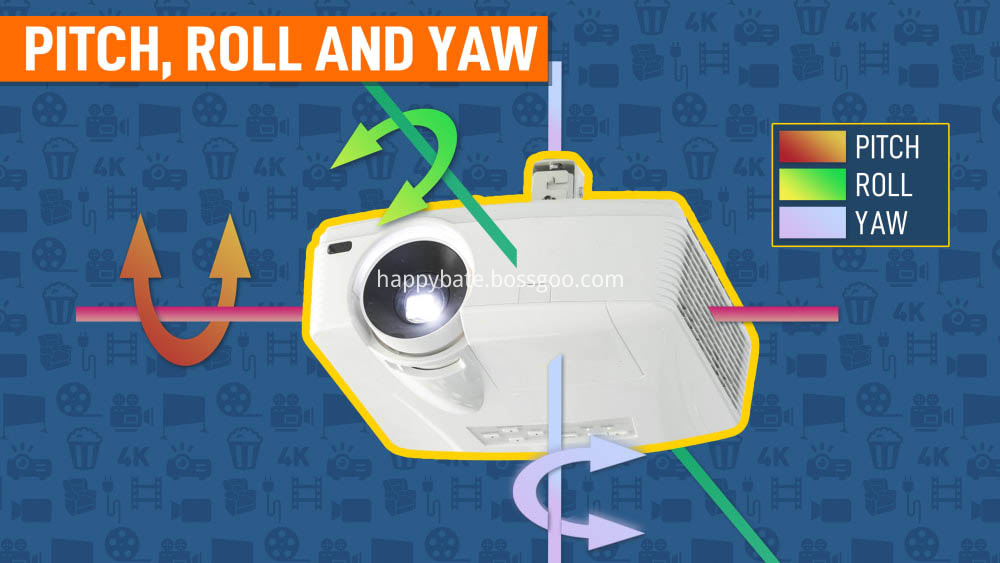
By fiddling with the pitch, roll and yaw you`re able to straighten and align the image shown on the screen.
Unfortunately it's not always possible to perfectly align the device and the screen. That`s where keystone correction and lens shift comes in.
Both keystone correction and lens shift allow you to alter the location and shape of the projected picture without physically moving your device or altering the angle of your screen to better accommodate the projector`s placement.
Lens Shift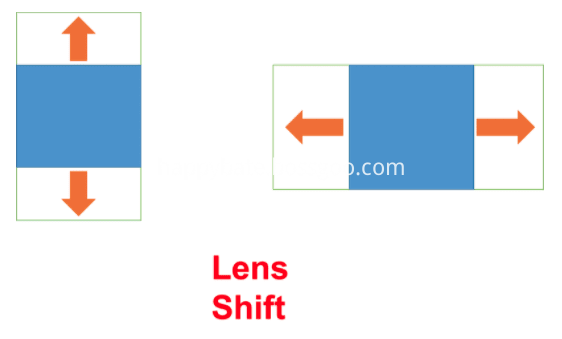
Lens shift, also known as vertical shift and horizontal shift, allows a projector to be off-center from the screen without having to tilt the projector to move the picture onto the screen.
It works by mechanically shifting the lens inside of the projector housing. Some projectors offer only a vertical lens shift and others offer both vertical and horizontal lens shift. The greater the amount of lens shift a projector offers, the more versatile it is in terms of positioning to your screen.
Keystone Correction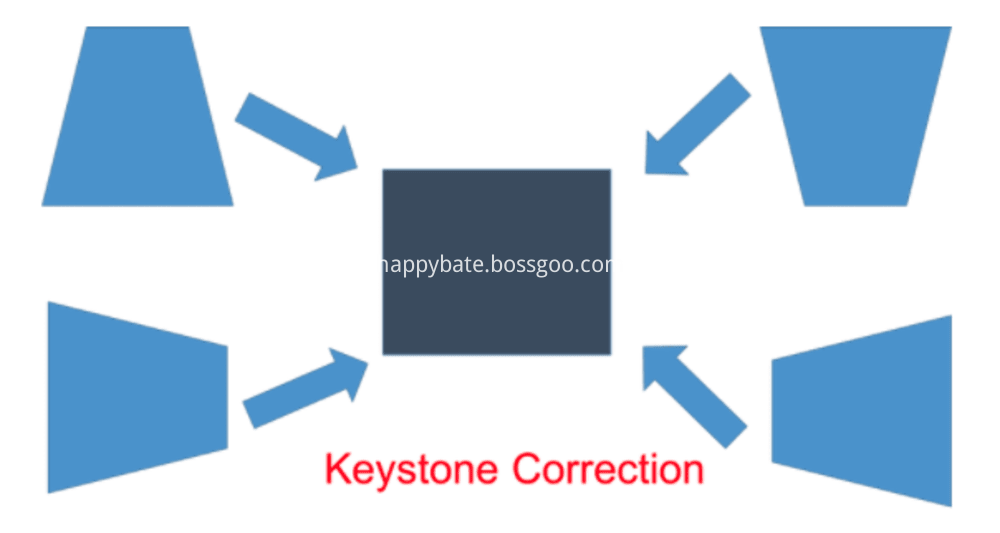
Keystone correction or digital keystone correction digitally alters the picture to rectify the keystoning or trapezoidal distortion due to the angular placement of the screen or the wall.
The downside to keystone correction is that it will degrade the quality of the image. You should always try to align the projector physically or by using lens shift whenever possible.